
Why Your Website Gets Traffic But No Leads: Website Conversion Optimization
- Elite Media Empire

- Jan 13
- 7 min read
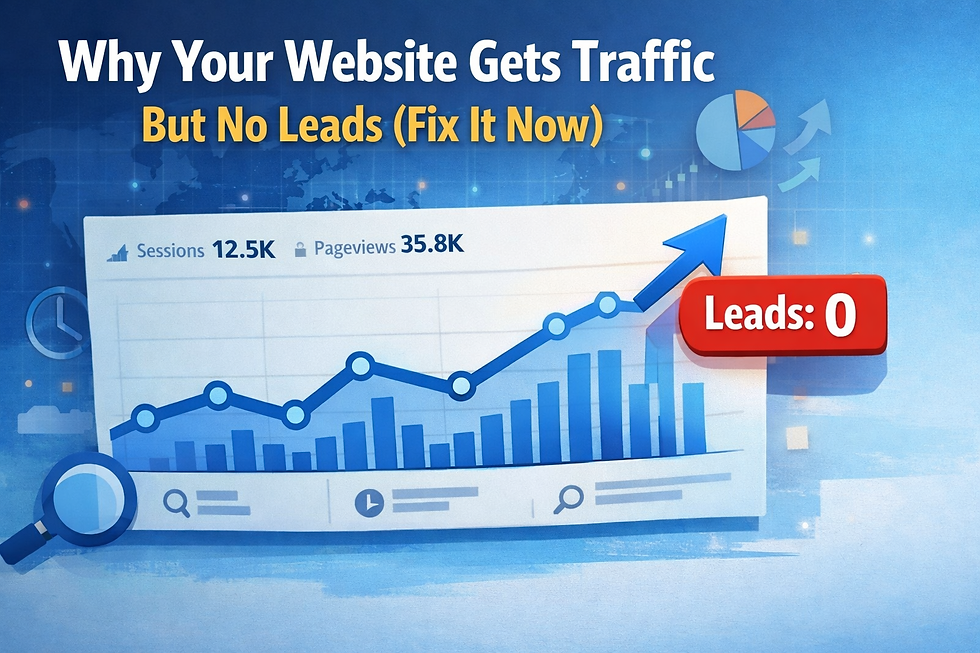
You check your analytics and see hundreds of visitors hitting your site every month. The numbers look good. But your phone isn't ringing. Your inbox is empty. Your calendar has gaps.
Traffic without leads is one of the most frustrating problems a business owner can face. You're doing the hard part getting people to your site—but they're leaving without taking action.
The good news? This problem is fixable. In most cases, you don't need more traffic. You need a website that actually converts. In this post, you'll learn the five most common conversion killers and exactly how to fix them.
The Real Problem: Your Website Needs Conversion Optimization (Not More Traffic)
Here's what probably happened. You hired someone to build a beautiful website. They made it look modern. They picked nice colors. They wrote some generic copy about your services.
But they didn't build it to generate leads.
A conversion-focused website is fundamentally different from a "brochure" website. Every element—the headline, the layout, the forms, the calls-to-action—exists to move visitors toward one goal: becoming a lead.
If your site was built to look pretty instead of to capture contact information, that's your first problem. Let's fix it.
Conversion Killer #1: Unclear or Weak Headline
When someone lands on your site, they make a decision in about 3 seconds: stay or leave.
Your headline is what keeps them there. But most business websites have headlines that say nothing useful. "Welcome to ABC Company." "Your Trusted Partner Since 2015." "Quality Service You Can Count On."
None of that tells the visitor what you actually do or why they should care.
The fix: Your headline should immediately tell visitors what you do and what result they'll get. Use plain language. Be specific.
Instead of "Premium Home Services," try "Get Your Roof Repaired Fast—Most Jobs Done in 2 Days." Instead of "Transformative Coaching," try "Double Your Sales in 90 Days with a Proven System."
If someone can't figure out what you do in 3 seconds, they're gone.
Conversion Killer #2: No Clear Call-To-Action
You know what you want visitors to do. But do they?
Most websites bury their call-to-action at the bottom of the page, use weak language like "Learn More" or "Contact Us," or worse—give visitors five different options and hope they pick one.
Confusion kills conversions. If visitors have to think about what to do next, they'll just leave.
The fix: Make your call-to-action crystal clear and put it everywhere. Above the fold, in the middle of the page, at the bottom. Use action language: "Book Your Free Consultation," "Get Your Quote in 60 Seconds," "Schedule Your Discovery Call."
And pick one primary action. Don't ask people to call you AND fill out a form AND book a calendar AND download something. Give them one clear path and make it easy.
Conversion Killer #3: Forms That Suck
Your form is the gateway to leads. If it's broken, too long, confusing, or intimidating, people won't fill it out.
We see this constantly: forms that ask for 12 fields of information, forms that don't work on mobile, forms that take people to a "thank you" page with no follow-up, forms that don't even send the lead anywhere useful.
The fix: Keep forms short. Name, email, phone number. That's it. You can ask more questions later. The goal right now is to capture the lead, not collect their life story.
Make sure your forms work perfectly on mobile—most of your traffic is on phones. Test them yourself. Fill them out. Make sure the lead actually gets sent to your CRM or email.
And set up instant follow-up. The second someone fills out that form, they should get an automated text or email with next steps. If you're waiting hours or days to respond, the lead is already cold.
Conversion Killer #4: Your Site Isn't Mobile-Friendly
More than half your traffic is probably on mobile. If your site loads slowly, looks broken, or has buttons that are impossible to tap, you're losing leads.
This isn't optional anymore. A site that doesn't work on mobile is a site that doesn't work.
The fix: Test your site on your phone right now. Does it load in under 3 seconds? Can you read the text without zooming in? Are the buttons big enough to tap easily? Does the form work without glitching?
If the answer to any of those is no, you need a mobile-responsive redesign. This is foundational. Without it, you're essentially invisible to half your audience.
Conversion Killer #5: No Trust Signals
People don't buy from businesses they don't trust. If your site looks outdated, has no reviews, no testimonials, no proof that you're legitimate, visitors will leave and find someone else.
Trust signals aren't about bragging. They're about removing doubt.
The fix: Add real testimonials with names and photos. Show before-and-after results. Display your Google reviews. Include logos of companies you've worked with. Add your credentials, certifications, or years in business.
The more you can prove "people like you have worked with us and were happy," the more leads you'll generate. Social proof is one of the most powerful conversion tools you have.
The Framework That Turns Traffic Into Leads
If you want your website to actually generate leads, use this simple process.
Step 1: Clarify Your Message. Rewrite your headline so it's clear, specific, and benefit-focused. Make sure visitors know what you do within 3 seconds.
Step 2: Simplify Your CTA. Pick one primary action you want visitors to take. Make it obvious, repeat it throughout the page, and use strong action language.
Step 3: Fix Your Form. Keep it short. Test it on mobile. Set up instant automated follow-up so no lead goes cold.
Step 4: Optimize for Mobile. Make sure your site loads fast and works perfectly on phones. Most of your traffic is mobile—treat it that way.
Step 5: Add Trust Signals. Testimonials, reviews, case studies, certifications. Remove doubt and prove you're the real deal.
This isn't complicated. It's just intentional. Most websites were never designed to convert. Yours can be different.
Quick Website Conversion Audit
Run through this checklist. Every "no" is a lead you're losing.
☐ Your headline clearly explains what you do and the result visitors get
☐ You have one clear, primary call-to-action
☐ Your CTA appears at least 3 times on the page
☐ Your form is 5 fields or fewer
☐ Your form works perfectly on mobile
☐ New leads get an instant automated response
☐ Your site loads in under 3 seconds on mobile
☐ All buttons and links are easy to tap on a phone
☐ You have at least 3 visible testimonials or reviews
☐ Your contact information is easy to find
☐ You have a dedicated landing page for paid traffic (not just your homepage)
If you checked fewer than 8 boxes, you're leaving serious money on the table.
Real Example: What Fixing Conversion Can Do
Let's say you're a service business getting 500 visitors per month to your site. Your conversion rate is 1%—pretty typical for a site that wasn't built to convert. That's 5 leads per month.
You fix your headline, simplify your CTA, optimize your form, make the site mobile-friendly, and add testimonials. Your conversion rate goes from 1% to 3%. Nothing crazy—just basic conversion optimization.
That's 15 leads per month instead of 5. Same traffic. Same ad spend. Triple the leads.
Over a year, that's 120 extra leads. If you close 20% of them, that's 24 new customers you didn't have before. And all you did was fix what was already broken.
This is why conversion matters more than traffic. You don't need to triple your visitors. You need to stop letting the ones you already have slip through the cracks.
What's Changing in 2026 (And What to Do About It)
Website conversion isn't standing still. Here's what's shifting and how to stay ahead.
Mobile-first is now mobile-only for many users. People don't switch to desktop to do research anymore. If your mobile experience isn't flawless, you don't exist. Action: Test your site on multiple devices. Make sure forms, buttons, and navigation work perfectly on phones.
Page speed directly impacts conversions. Google's Core Web Vitals matter, and slow sites get penalized in search rankings. More importantly, visitors bounce if your site doesn't load in under 3 seconds. Action: Compress images, remove unnecessary scripts, use fast hosting. Speed is non-negotiable.
AI chatbots are becoming expected. Visitors want instant answers. A well-configured chatbot can qualify leads, answer FAQs, and book appointments 24/7. Action: Add a simple chat widget that captures contact info and routes conversations to your CRM.
Video content converts better than text. A 30-second explainer video on your homepage can increase conversions by 20-30%. People prefer watching to reading. Action: Record a simple video introducing yourself and explaining what you do. No fancy production needed—authenticity wins.
Personalization based on traffic source matters. Someone clicking a Facebook ad about roofing shouldn't land on a generic homepage. They should land on a dedicated page about roofing with messaging that matches the ad. Action: Build dedicated landing pages for each traffic source and campaign.
Pick one of these to implement this month. Then layer on the next. Small improvements compound fast.
The Bottom Line: Stop Wasting Your Traffic
You're already doing the hard work of driving people to your site. Don't let them leave without taking action.
Conversion isn't about tricks or hacks. It's about clarity, simplicity, and making it easy for people to say yes. Clear headline. Strong CTA. Short form. Mobile-friendly. Trust signals. That's it.
If your site checks those boxes, you'll turn more browsers into buyers. If it doesn't, you're pouring money into a leaky bucket.
The good news? These problems are fixable. You don't need a complete redesign. You just need someone who understands conversion to tighten up what's already there.
Ready to turn your marketing into a predictable system? Contact us via our website or call +1 786-767-6936.

Comments